 Get-Inky
Estate sales, garage sales, and one-day events
A pop-up is a shop that lasts as long as your sale does. Tag and price everything from your phone, print the stickers, ring people up at the table, and bring in helpers. When it's over, whatever didn't sell goes back to your online inventory.
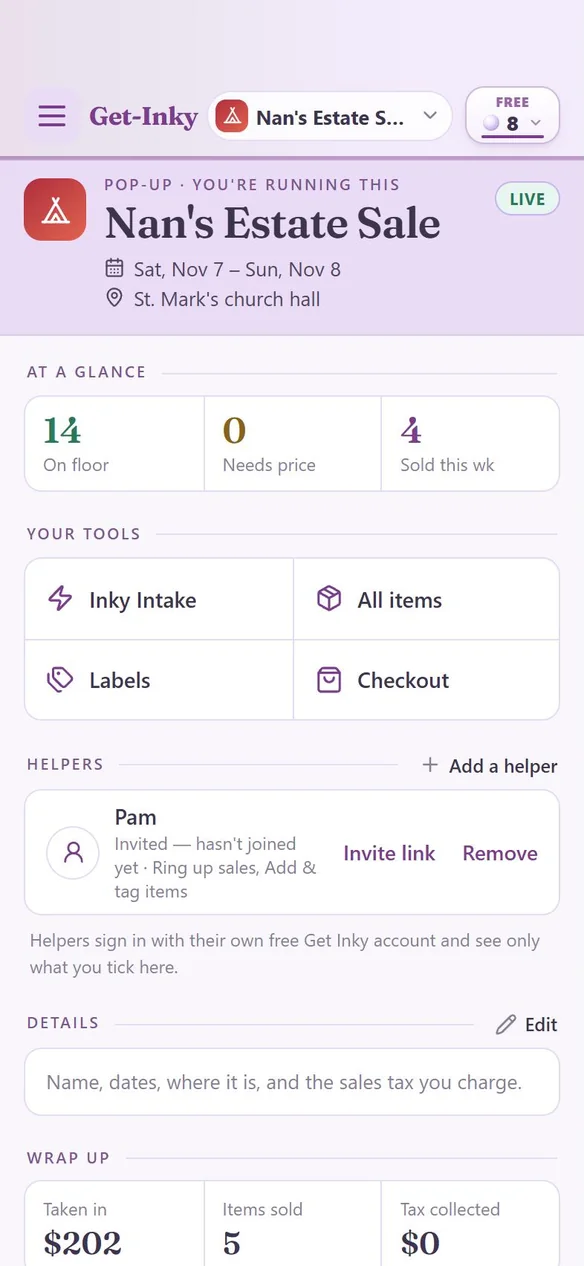
8 free Pearls to startNo cardHelpers join free
Family, friends, or your crew each sign in with their own free account. You tick what each one can do: ring up sales, add and tag items, or see the items. Up to 5 helpers per pop-up.
Tick the pieces you want, or move everything unsold at once. They land in My Inky, where Photo Studio cleans up the photos and Listing Studio writes listings for eBay, Whatnot and more.
Starting a pop-up is free. Adding items uses 1 Pearl per 64 items, and new accounts start with 8 Pearls. That's 512 items. Labels, checkout and wrap up use no Pearls.
Already on Inky? Tap the picker at the top, then “Add a role,” and use the Pop-up card.