
16 · Cloud+ & sync
On this page
Inky Mall OS runs on this computer and needs nothing else. Inky Cloud+ is everything that touches the internet: more than one register sharing one store, your store on any computer, the shop on get-inky.com, vendors reading their own sales from home, and the things that come in from outside — stock from Inky Intake, expenses from Inky Accounting, payments through the Square reader.
$19.99 a month, for the shop — every register is covered.
A note on the pictures. The manual's demo register isn't signed in, so the signed-in states below are described rather than shown; a real-machine pass will add them.
What Cloud+ adds
- Registers in lockstep. Every register, and the web dashboards, share one store, live. Ring a sale on till 2 and till 1's inventory and Today move with it.
- Sign in anywhere. Install Inky on any computer, sign in, and your store loads — nothing to set up again. A replacement machine is a ten-minute job.
- Vendors see their booth from home. Live sales, month-to-date, and statements on get-inky.com, behind their own login.
- Everything that comes from the web: items added through Inky Intake land on this floor; label jobs asked for from a phone pop up on every till, and whichever one prints (or dismisses) them clears the others; expenses recorded in Inky Accounting appear under Financials; staff hours flow to payroll; the books check.
- The Square card reader — see Card reader & wallets.
Signing in
On the Settings tab, under Inky Cloud+:
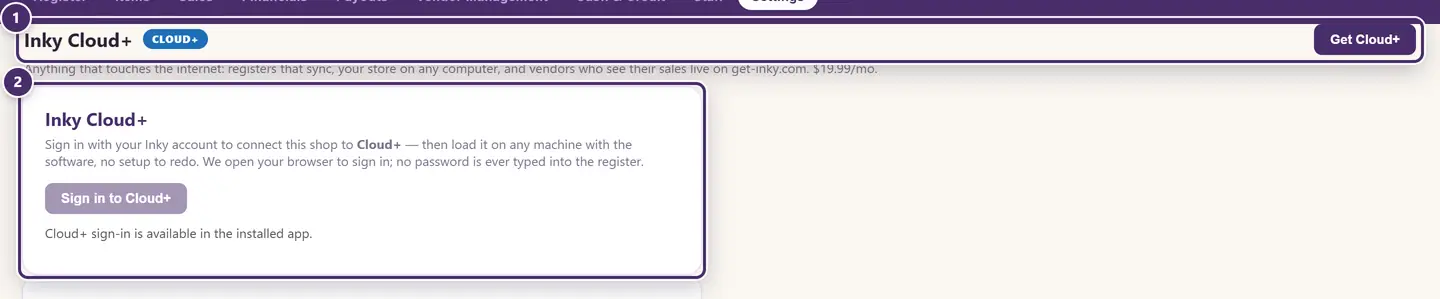
- Get Cloud+ — for a shop that hasn't added it yet.
- Sign in to Cloud+. Your browser opens to sign in with your Inky account; no password is ever typed into the register. If your account has more than one store, Inky asks which store this register is. Signed in, the card says so — Signed in ([email protected]). This register runs from your Inky account. Syncing is on. — and offers Reconnect this register and Sign out of Cloud+.
A brand-new install offers the same sign-in on its Welcome screen — see Getting started. Each signed-in register is a seat on your account, listed there by the computer's name.
Signing out leaves the register working on this computer with everything it has; it just stops syncing. Reconnect is for the message This register's cloud login was reset — it signs out and back in in one step.
The sync chip
Once signed in, a small chip in the top bar says where sync stands. Click it to sync now.
| The chip says | What it means |
|---|---|
| Synced 2m ago | Normal. Changes arrive the instant they happen over the live connection; the chip shows when the last round completed. |
| Syncing… | A round is in progress. |
| Offline | No internet. Sales keep working; sync catches up on its own when you're back. |
| Sync paused | Cloud+ is paused. The register keeps working; Go to billing on the banner opens your billing on get-inky.com, where you update the card. |
| Reconnect | This register's cloud login was reset. Click it to sign out and back in. |
| Sync failed | The cloud couldn't be reached for a reason other than being offline. Click to retry; the sync log has the detail. |
A chip that has gone a couple of minutes without a round turns muted rather than red — it's information, not an alarm.
The sync log
In the ⋯ menu, Sync log.
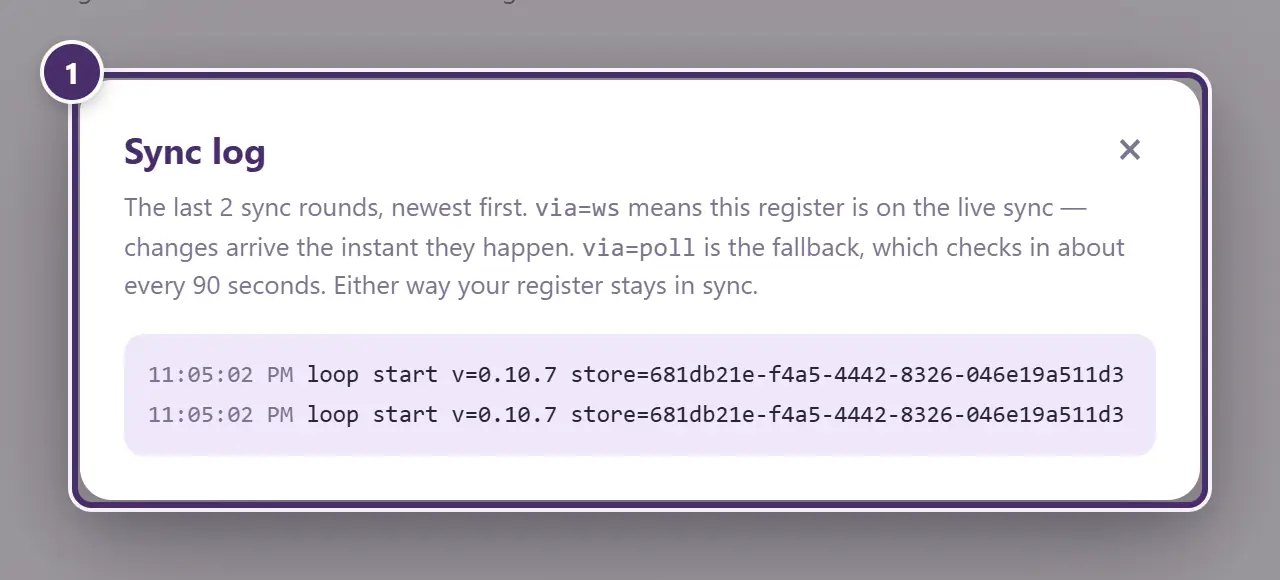
- The last sync rounds, newest first, with a time and a line each — what went up, what came down. via=ws means the live connection: changes arrive the instant they happen. via=poll is the fallback, which checks in about every 90 seconds. Either way the register stays in sync. On a register that isn't signed in it says so. This is the thing to read out to support.
The books check
The check that answers "do this register and the cloud hold the same sales?" It sits at the top of the Financials tab, and its verdict is repeated above the Payouts table when it matters.

- The verdict. It runs after a sync, once this register has nothing left to send, and says either Every booth matches — same sales on both sides, or which booth differs and by how much, for this month, last month and all time. It checks sales, not payout amounts.
- Sync now & re-check forces a round and runs the check again.
A difference that appears once is checked again after the next sync before it's called a difference. If it persists, the Payouts tab warns you before you close a period — because a saved payout can't be edited afterwards — and the sync log will usually say why. See Payouts.
What syncs, and what stays on this computer
Syncs: the shop's data — booths, items, sales, payouts, customers, gift cards and credit, staff and their hours, the settings that describe the shop (name, tax, payment methods, feature switches, promotions, coupons, branding, the designers).
Stays on this register: the things that describe this machine — which printers are attached, the label size, the paired card reader, the customer display window, and the store file itself. Every register keeps its own working copy of the whole store, so a register that loses the internet keeps every screen, not just the register.
When the internet is out
This is the chapter where it matters least. A Cloud+ register offline is a Core/Pro register: everything works from the copy on this computer, and every change is queued. When the connection returns the register sends what it has, receives what it missed, and the books check confirms the two sides agree. The chip says Offline meanwhile, and nothing else changes.
Guide for Inky Mall OS 0.16.0, updated Nov 20, 2026 · Download the whole guide (PDF)